Demo
Captures of Vidra v0.5.0, running.
There is no public instance to click around yet. There is a running one: these are captures of v0.5.0 on a local machine.
Watch
The watch page.
Every image on this page is a screenshot of the real frontend talking to the real backend, all four repositories checked out at the v0.5.0 release tags. The 47-second clip was uploaded through the studio, transcoded by the instance's own pipeline to a four-rendition H.264 HLS ladder, and is what the player is playing.
The numbered markers walk the frame — the quality menu, the controls, the page around the player. Press one and the panel under the capture answers.
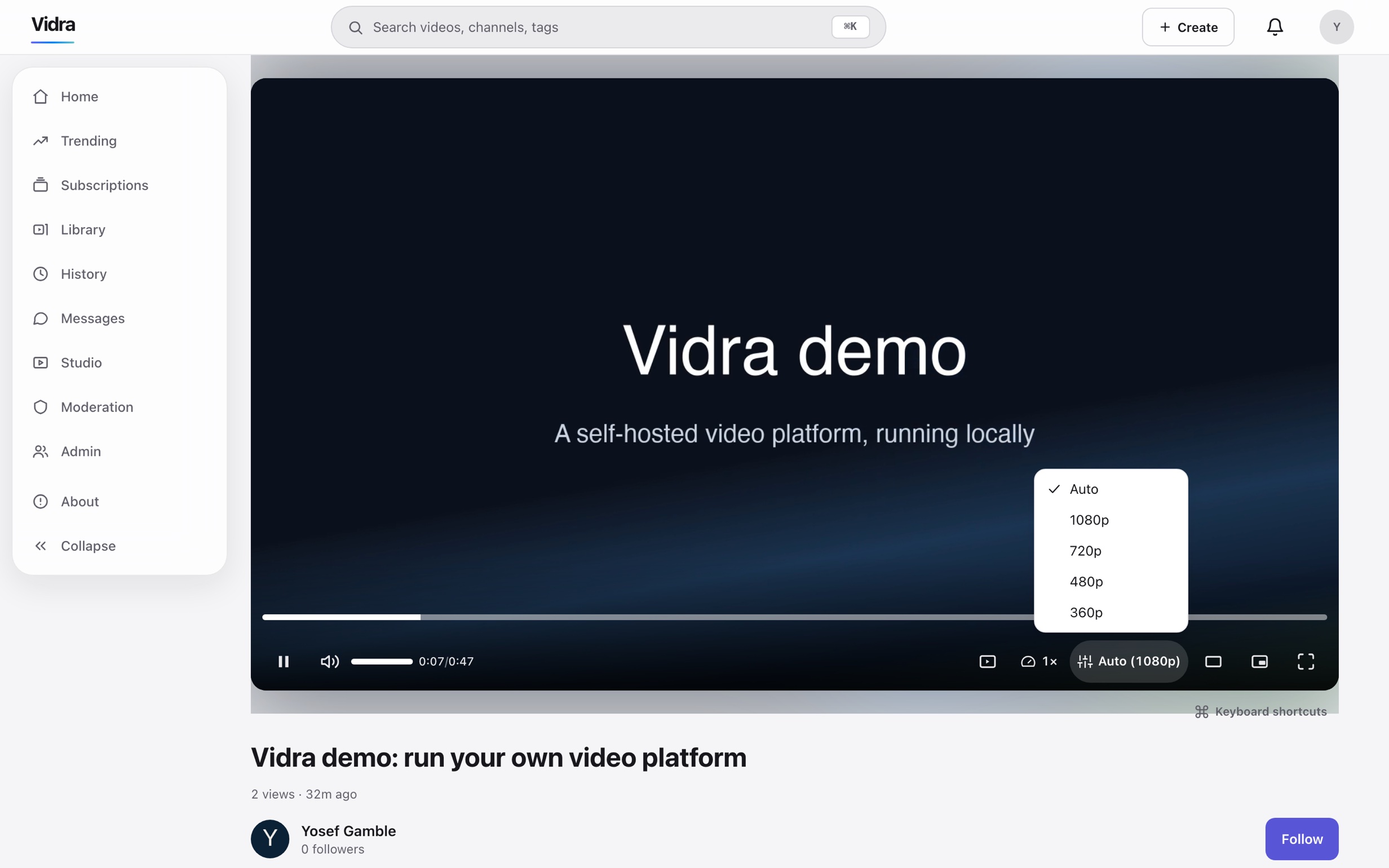
Quality menu
Auto plus 1080p, 720p, 480p and 360p — the ladder this instance built from a single 1080p upload. Auto is selected and playing 1080p; any rung is switchable mid-playback.
Publish
The upload sheet.
Upload starts on file pick and processing runs in the background while the metadata gets filled in — title, category, language, license and tags.

Operate
The jobs view.
The operator's view of the pipeline. The markers pick out what an operator actually reads here: queue health, the job that built the ladder above, and the failure count you want empty.

Queue health
One card per queue, each reporting ok — the pipeline's health readable on one screen of the admin console, not assembled from logs.
Search
The search results.
The query in this capture is misspelled on purpose. Search runs as its own service, vidra-search, querying full-text and trigram indexes together — so a half-remembered, half-mistyped title still resolves to the right upload among the videos this instance is hosting.
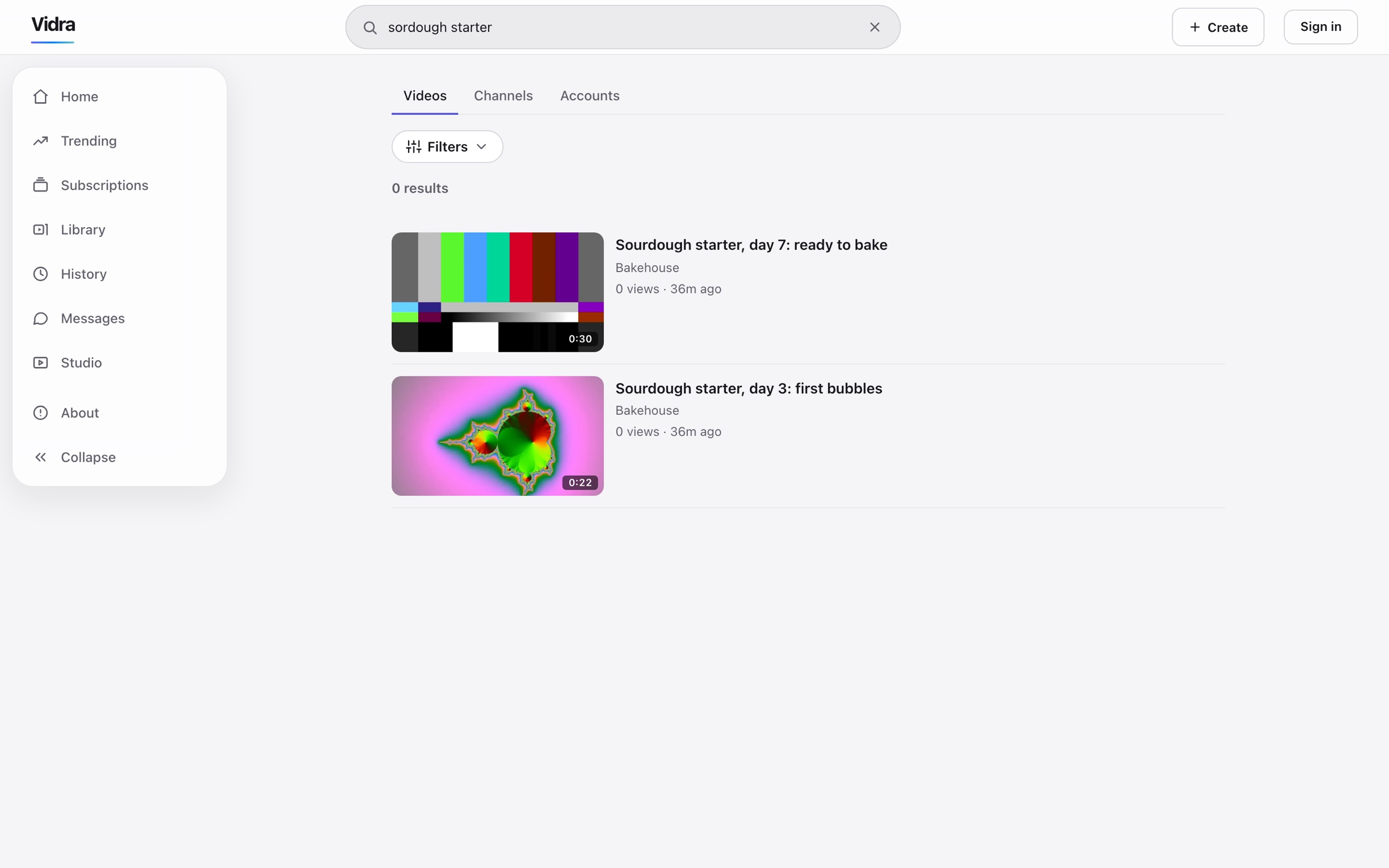
The query
The query is misspelled on purpose. It still resolves because trigram matching scores letter-groups rather than exact words — a half-remembered title is enough.
Configure
The admin console.
Instance configuration: this instance's name and description were changed here at runtime, no restart of the API.

Messages
The encrypted conversation.
Direct messages ship in two lanes, and the one captured here is the opt-in end-to-end encrypted type: text only, encrypted in the browser with Olm — the Matrix protocol's ratchet — and stored as ciphertext the server cannot read, though the server still sees who is talking to whom and when. It has not been independently audited; the full statement is on the features page →
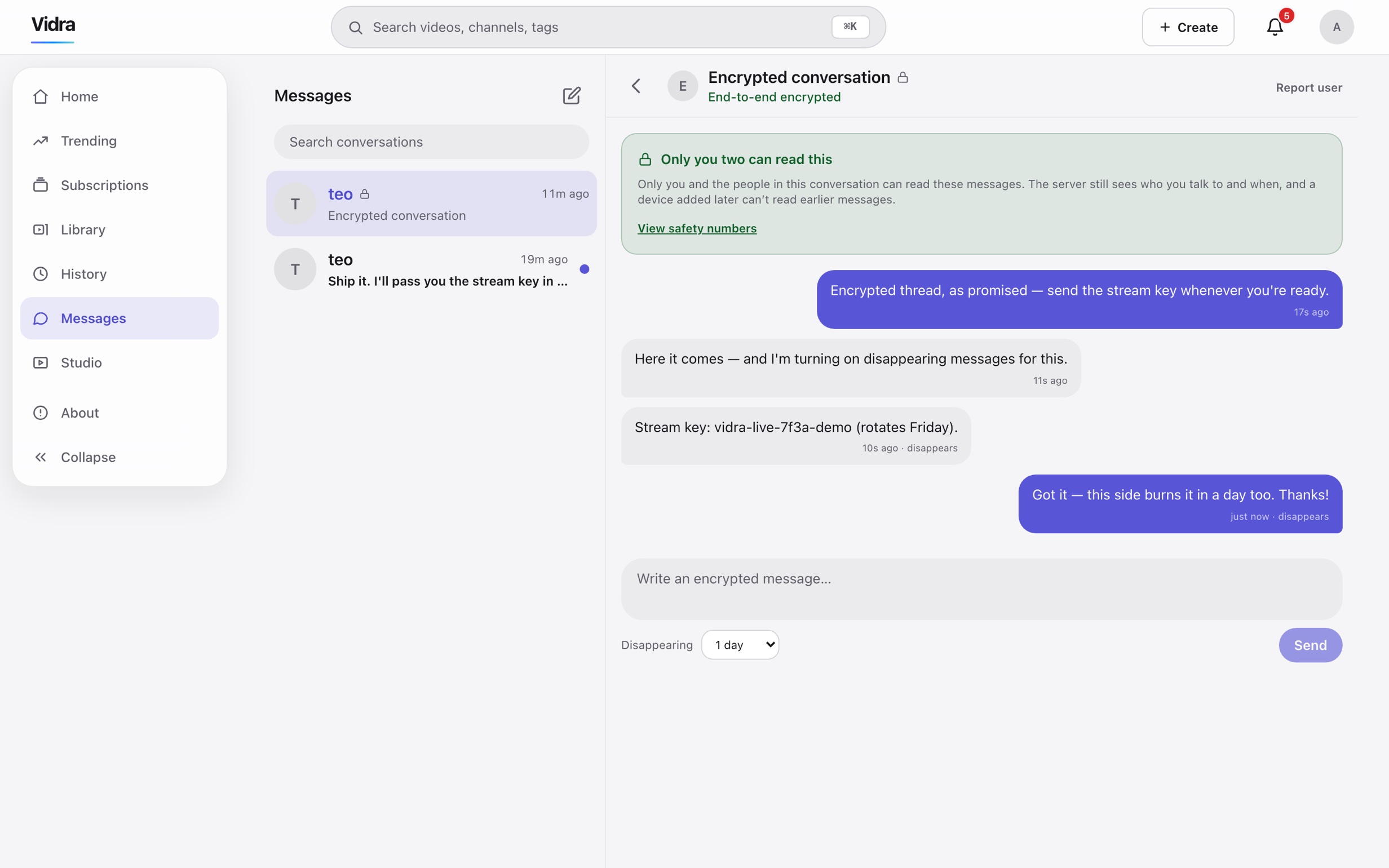
Opt-in encryption
The badge marks an end-to-end encrypted conversation — a type you chose when starting it. Keys live on your devices; the server stores ciphertext it cannot read.
In your pocket
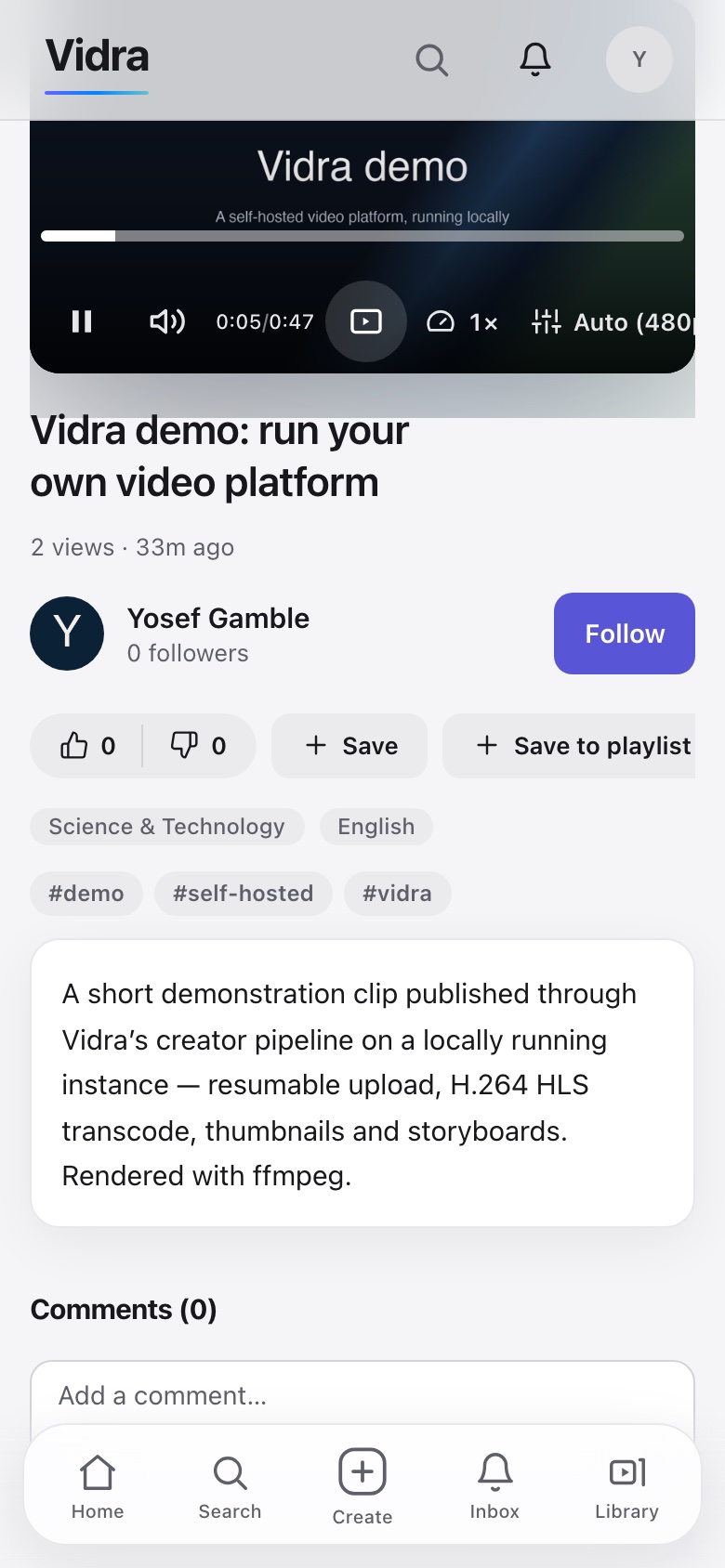
The same instance, at phone width.
The watch page again at 390 pixels wide: the player with its controls, then the title, actions, tags and description — the frontend reflows rather than shrinks.
What this page is not.
A public demo instance still does not exist. When there is one to try, it will be here: a real instance on the current release, sign-in credentials published on this page, reset on a schedule — not a sandbox with the interesting parts switched off. Until then, the fastest way to click around a Vidra instance is to run one.